App v3.1.6
tk6788 App – Play Cricket Betting & Casino Games on Your Android Phone
The tk6788 app puts cricket odds, live casino tables, crash games, and fast bKash deposits all in one place. Free to download, no subscription, works on Android 6.0 and above.
Scan the QR code below to download · File: tk6788.apk · 41 MB · Free
Point your Android camera at the QR code — your browser will open the download link directly.
- SSL Encrypted
- Android 6.0+
- 24/7 Support
- bKash & Nagad
- 18+ Only
How to Install the tk6788 APK on Android
Android blocks apps from outside the Play Store by default. You need to allow "unknown sources" once — the process takes under three minutes. Follow these five steps exactly.
-
Allow Installation from Unknown Sources
Open your Android Settings app. Go to Security (or Privacy on newer devices). Find Install unknown apps and tap your browser name (Chrome, Firefox, or whatever you use to download). Toggle Allow from this source to On. This tells your phone it is safe to install APK files from that app. You can turn it off again after installation if you prefer.
-
Download the APK File
Tap the Download APK Free button on this page or scan the QR code above with your camera. Your browser will download
tk6788.apk(41 MB). Wait for the progress bar to reach 100%. If your Wi-Fi is slow, switching to mobile data usually speeds it up. Do not tap the file until the download finishes completely — a partial install fails silently. -
Open the Downloaded File
Pull down your notification shade. You will see a row labelled tk6788.apk – Downloaded. Tap it. If you dismissed the notification, go to your Files app → Downloads folder and tap the file there. Android will show a standard install confirmation screen listing the app name and package details.
-
Confirm and Install
Read the permissions summary (see the Security section below for a plain-English breakdown). Tap Install. Android copies the app files — this usually takes 10–20 seconds on a mid-range device. You will see a green tick and an App installed message when it completes. Do not press the Back button during this step or you will need to restart from step 3.
-
Log In or Register
Tap Open on the success screen. The tk6788 app home screen loads within a few seconds. If you already have an account, tap Log In and enter your mobile number and password. New users tap Register Now — the sign-up form takes about two minutes to complete. Need a reminder on the registration steps? See the Register page for a full walkthrough.
iOS Users: Add tk6788 to Your Home Screen
Apple does not allow APK files. iOS users can pin the tk6788 website as a web app — it behaves like a native app after you do this.
-
Open Safari
Go to https://tk6788.ws in Safari. It must be Safari — the Share button method does not work in Chrome or Firefox on iOS.
-
Tap the Share Icon
Tap the square-with-arrow icon at the bottom centre of Safari. The share sheet slides up from the bottom of the screen.
-
Select "Add to Home Screen"
Scroll the share sheet to find Add to Home Screen. Tap it. You can rename the shortcut — keep it as tk6788 for easy identification.
-
Tap Add and Launch
Tap Add in the top-right corner. The tk6788 icon appears on your home screen. Tap it to open the site in a full-screen browser window without the Safari toolbar. For the best experience, enable auto-login in your account settings so you stay signed in between sessions.
Download the App & Check File Details
| Field | Detail |
|---|---|
| App Version | 3.1.6 |
| File Name | tk6788.apk |
| File Size | 41 MB |
| Minimum Android Version | Android 6.0 (Marshmallow) |
| Last Updated | 3 November 2026 |
| Price | Free |
| Supported Languages | English, Bangla |
| Deposit Methods in App | bKash, Nagad, Rocket, Upay, Bank Transfer |
| Customer Support | 24/7 Live Chat (accessible inside the app) |
App vs Browser – Which Should You Use?
Both the app and the tk6788 website give you full access to your account. The app does a few things better, especially on a slower mobile connection. Here is a straight comparison.
| Feature | tk6788 App | Mobile Browser | Desktop Browser |
|---|---|---|---|
| Push notifications for odds changes | Yes | No | No |
| One-tap bKash / Nagad deposit | Yes | Partial | Partial |
| Biometric login (fingerprint / face) | Yes | No | No |
| Live cricket score overlay | Yes | Partial | Yes |
| Works on slow 3G connection | Optimised | OK | Yes |
| Full casino game library | Yes | Yes | Yes |
| Bonus & VIP status visible at a glance | Yes | Partial | Yes |
| APK download or install step required | Yes (once) | No | No |
| Storage used on device | 41 MB | Cache only | Cache only |
If you bet on cricket regularly or use bKash daily, the app is worth the one-time install. If you just want to log in occasionally, the browser works fine — go to tk6788 Login from any browser.
What Permissions Does the App Request?
The tk6788 app only requests permissions it actually uses. Here is a plain-English breakdown of each one, so you know exactly what you are agreeing to.
Internet Access
The app connects to tk6788 servers to load games, check live odds, and process bKash or Nagad transactions. This is the only permission required for core functions. Without it, the app cannot work at all — this is standard for every betting or banking app.
Push Notifications (Optional)
Allows the app to send you cricket score alerts, bonus reminders, and deposit confirmations. You can deny this during install and still use every feature. To enable later, go to Android Settings → Apps → tk6788 → Notifications and toggle it on.
Camera (KYC Only)
Used only when you upload your National ID Card (NID) or other KYC document for the first withdrawal. The app does not access your camera at any other time. If you prefer, you can upload a photo from your gallery instead — the camera permission is not strictly required.
No Contacts, Location, or Microphone
The tk6788 app does not ask for your contact list, GPS location, microphone, or any file storage access beyond the APK installer itself. If an APK file claiming to be tk6788 requests those permissions, it is not an official file — only download from tk6788.ws directly.
What Can You Do Inside the App?
The tk6788 app covers every category available on the full website. These are the six areas players use most on mobile.
Cricket & Sports Betting
Place pre-match and live bets on BPL, IPL, T20 World Cup, and international ODI fixtures. The odds update in real time. The app shows a scoreboard overlay so you can watch the run rate and adjust your bet before the next over starts — all without switching tabs.
Live Casino Tables
Join live dealer rooms powered by Evolution. Games include Andar Bahar, Dragon Tiger, Teen Patti, and standard Blackjack and Roulette. Minimum bet from ৳10. The video stream is compressed for mobile data — you will not burn through your data package in one session.
Crash & Aviator-Style Games
Play Crash Goal by Spribe with a minimum bet of ৳10. The multiplier climbs until the round ends — cash out before the crash to lock in your winnings. The app handles the animation smoothly even on Android 8 budget phones. See our full Aviator & Crash guide for strategy tips.
Slots & Fishing Games
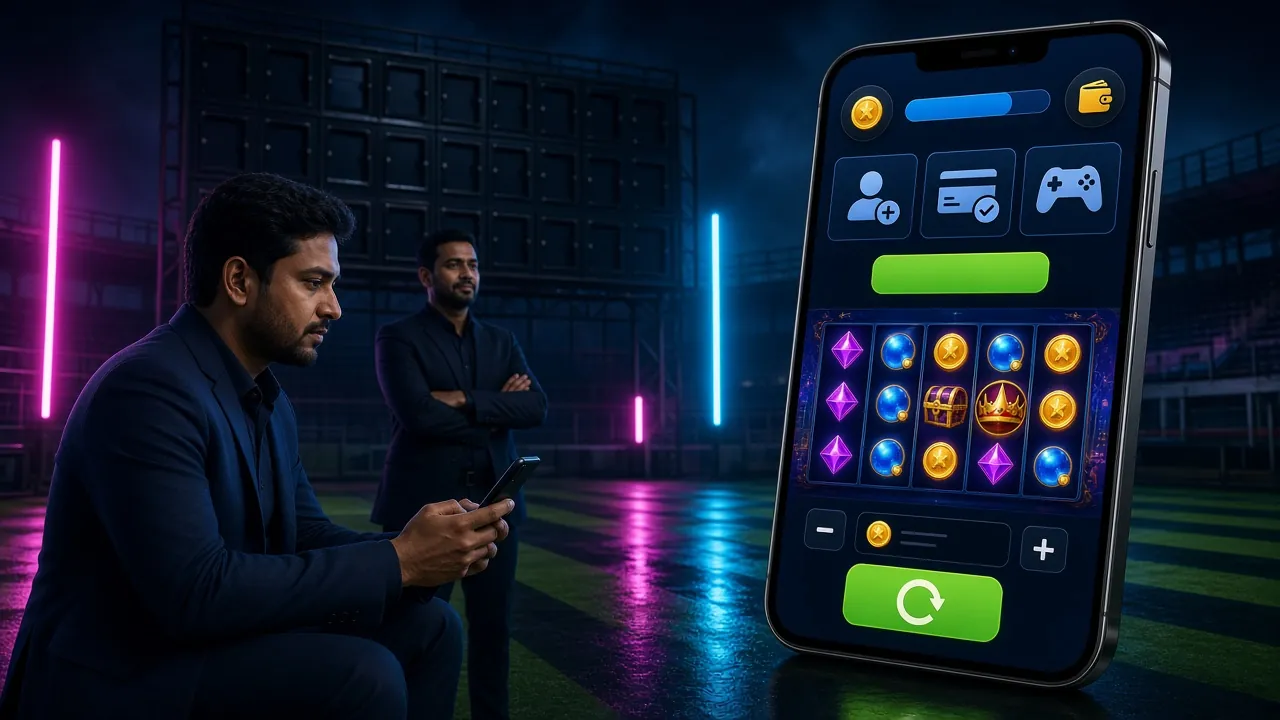
Over 5,500 games from FA Chai, CQ9, Red Tiger, Pragmatic Play, KA Gaming, and more load directly in the app without a secondary browser. Fishing games like Caishen Fishing and Relax Fishing have touch-optimised controls that feel natural on a touchscreen — better than a mouse click.
Instant bKash & Nagad Deposits
Deposits clear in about 2 minutes. The app pre-fills your registered bKash number so you skip one manual step. Minimum deposit ৳300. The same account also supports Nagad, Rocket, Upay, and Bank Transfer — switch methods inside the cashier without logging out. First-time depositors get a 155% bonus up to ৳23,000.
Account, VIP & Bonus Centre
Check your VIP tier progress, claim daily cashback, and redeem your reload bonus all from one screen in the app. Withdrawal requests process in about 35 minutes. The app shows real-time balance, pending bonuses, and wagering progress — the same information available on the desktop site, but sized for a 6-inch screen.
System Requirements & Version History
The app is light enough to run on most Android phones sold in Bangladesh since 2018. Check the minimum requirements before downloading if your phone is older.
| Minimum Requirements | |
|---|---|
| Operating System | Android 6.0 (Marshmallow) or higher |
| RAM | 1 GB (2 GB recommended for live casino) |
| Free Storage | 100 MB (41 MB APK + app data) |
| Internet Connection | 3G or better (4G recommended for live streams) |
| Screen Resolution | 720 × 1280 px or higher |
| iOS | Not supported (use Safari web app method) |
| Version Record | |
|---|---|
| Current Version | 3.1.6 |
| Release Date | 3 November 2026 |
| What Changed in 3.1.6 | Faster APK launch on low-RAM devices; bKash one-tap improved; crash game animation smoother on Android 10+ |
| Previous Stable | 3.1.4 |
| Update Channel | Download fresh APK from tk6788.ws/tk6788-app/ |
| Auto-Update | App prompts you when a new version is ready |
Installation Problems? Use This Fix Guide
Most install errors have a simple cause. Find your problem in the first column and follow the fix.
| Problem | Likely Cause | Fix |
|---|---|---|
| "Install blocked" or "Not allowed" | Unknown sources not enabled for your browser | Settings → Security → Install unknown apps → select your browser → toggle Allow. Then tap the APK file again from your Downloads folder. |
| "Parse error" during install | Download interrupted — file is incomplete or corrupted | Delete the existing tk6788.apk from your Downloads folder. Download again on a stable Wi-Fi connection. Wait for 100% before tapping. |
| App installed but crashes immediately on open | Device RAM too low or Android version below 6.0 | Check your Android version in Settings → About Phone. If below 6.0, the app cannot run on your device — use the browser version instead at tk6788.ws. |
| Can't find the downloaded file | Download saved to internal storage, not visible from notification | Open your phone's built-in Files app (or My Files on Samsung). Go to Internal Storage → Downloads. The file is named tk6788.apk. Tap it to install. |
| App installed but login fails every time | Wrong password, account not yet verified, or outdated app version | Use the Login page in a browser to confirm your credentials. If you forgot your password, use the Reset link. If the app version is older than 3.1.6, delete and reinstall the latest APK from this page. |
Still stuck? Contact the support team via 24/7 Live Chat inside the app, or email [email protected]. Have your Android model and version ready.
Popular Games You Can Play in the App
All game categories load natively inside the app — no browser redirect. Here are eight games players open most often on mobile.
 Lottery
West Hunter Bingo
Evolution · RTP 96.4%
 Slots
Dinosaur Tycoon
Evolution · RTP 95.8%
Fishing
Caishen Fishing
KA Gaming · RTP 95.1%
Slots
Supermarket Spree
CQ9 · RTP 97.0%
Crash
Crash Goal
Spribe · RTP 95.4%
Slots
Fortune Rabbit
FA Chai · RTP 97.7%
Lottery
Lucky Neko
Red Tiger · RTP 97.7%
Slots
Jurassic Kingdom
KA Gaming · RTP 96.5%
Your App Questions, Answered
Is the tk6788 APK file safe to install?
Yes — the APK hosted at tk6788.ws/download/tk6788.apk is the official file. It passes Google's basic safety standards (the same checks used before apps go on the Play Store). The app requests only the permissions described above: internet access, optional push notifications, and camera only for KYC document upload. It does not access your contacts, SMS, or location. To stay safe, only ever download from the official tk6788.ws domain. If you see the same APK offered on a third-party site or Telegram group, do not use that copy — it may have been modified.
Why can't I find tk6788 on the Google Play Store?
Google restricts real-money gaming apps in many markets, including Bangladesh. This is a platform policy, not a problem with the app itself. The APK you download directly from tk6788.ws is functionally identical to what a Play Store version would offer. Thousands of players in Bangladesh install it this way every month. The process is legal and safe as long as you download from the official website. Once installed, the app works exactly like any Play Store app — you get update prompts, the same game library, and the same account access.
How do I update the app when a new version comes out?
The app checks for updates automatically when you open it. If version 3.1.6 is no longer the latest, you will see a banner at the top of the home screen that says "Update Available." Tap it and you will be taken to this page to download the new APK. Install it on top of the existing app — your account, balance, and settings carry over automatically. You do not need to uninstall the old version first. If you dismissed the update banner, you can manually check by going to Account → About → Check for Updates inside the app.
What do I do if the app gets stuck on the loading screen?
First, check your internet connection — the loading screen stalls if your signal drops between 3G and 4G. Switch to Wi-Fi if available. If the connection is fine, force-close the app: go to Android Settings → Apps → tk6788 → Force Stop, then reopen it. If it still hangs, clear the app cache under Settings → Apps → tk6788 → Storage → Clear Cache. This does not delete your account or history. As a last resort, uninstall and reinstall the latest APK from this page. If the issue continues, contact 24/7 Live Chat.
Can I use the same account on both the app and the browser?
Yes. Your tk6788 account is tied to your mobile number, not to a specific device or browser. You can log in on the app, then switch to a desktop browser and continue from exactly where you left off — balance, bonuses, and game history all sync in real time. You can even have both open at once, though placing the same bet from two sessions simultaneously is not recommended. If you want to register a new account, visit the Register page — one account per person is the site rule.
Does the app work without a stable internet connection?
No — the tk6788 app is fully online. Games, odds, and your balance are all fetched live from the server, so an active internet connection is required at all times. The app is optimised for 3G speeds: live casino streams use adaptive bitrate to reduce buffering, and game assets are cached after the first load so repeat sessions feel faster. For the smoothest experience with live dealer games, a 4G or Wi-Fi connection is recommended. Cricket betting and crash games work reliably on a standard Grameenphone or Robi 3G connection.
How long does KYC verification take, and do I need it to use the app?
You can deposit, play, and claim bonuses without completing KYC. Verification is required only before your first withdrawal — this is a site-wide rule, not specific to the app. The process takes up to 24 hours after you submit your documents. Accepted documents are: National ID Card (NID), Passport, or Driving Licence. Upload a clear photo directly from the app under Account → Verify Identity. Once approved, your daily withdrawal limit starts at ৳40,000. For a full walkthrough of the withdrawal process, see the Withdrawal & KYC Guide.
Ready to Play on Your Phone?
Download the tk6788 app now — 41 MB, free, works on Android 6.0 and above. Deposit with bKash in 2 minutes and your first deposit bonus lands instantly.
18+ · Play Responsibly · Minimum deposit ৳300